
One of the biggest reasons people get weak results from AI is not because the tool is useless.
It is because the prompt is too vague.
If you give ChatGPT a messy, unclear, incomplete request, you often get messy, unclear, incomplete output back. Then people blame the AI when the real problem started with the instructions.
That is why learning how to build a good coding prompt matters so much.
A good coding prompt gives ChatGPT enough direction to help you properly. It does not need to be perfect. It does not need to sound robotic. However, it does need to be clear.
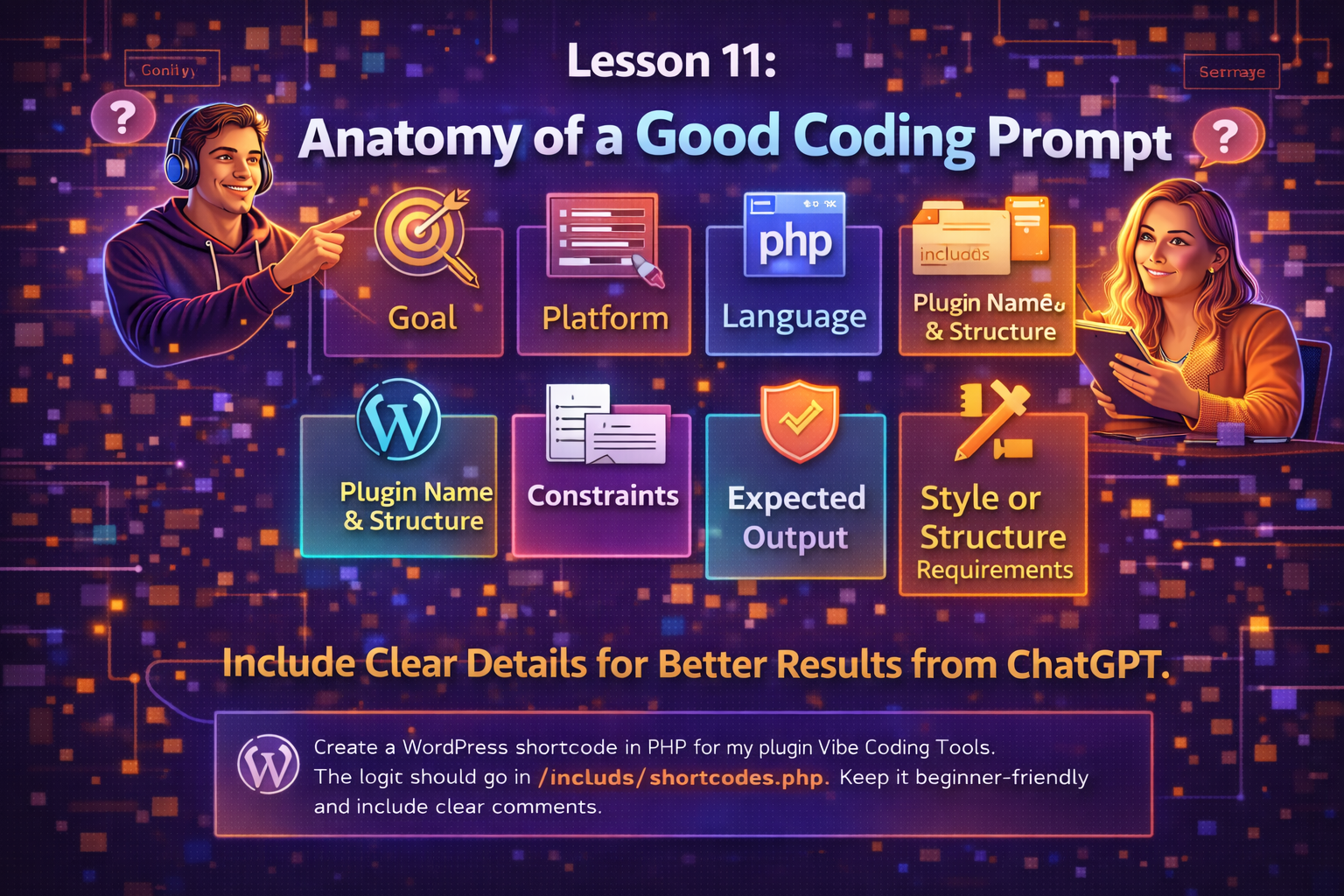
In this lesson, we are going to break down the anatomy of a good coding prompt so you know what to include and why it matters.
A Good Prompt Gives the AI a Job to Do
At the most basic level, a coding prompt should tell ChatGPT what job it is being asked to do.
That means the AI should not have to guess:
-
what you want
-
what platform you are using
-
what type of output you expect
-
what limits it needs to respect
-
how the result should be structured
The clearer the job, the better the response usually becomes.
That is why strong prompts are not just random requests. They are more like build instructions.
Start With the Goal
The first thing a good coding prompt should include is the goal.
What are you trying to build?
This sounds simple, but it matters a lot.
For example:
-
build a shortcode that shows a user dashboard
-
create a login form
-
fix a broken database save function
-
generate a plugin settings page
-
create a Stripe payment handler
-
build a front-end profile editor
The goal gives the prompt direction.
Without a clear goal, ChatGPT may give you something too broad, too generic, or aimed at the wrong problem.
A strong prompt usually starts with something like:
-
“I want to build…”
-
“Create…”
-
“Help me fix…”
-
“Generate…”
-
“Write a…”
-
“Review this and improve…”
That first part sets the target.
Include the Platform
Next, you should include the platform.
This is one of the most important pieces because the same feature can be built very differently depending on where it lives.
For example, are you building for:
-
WordPress
-
a custom PHP site
-
WooCommerce
-
a SaaS dashboard
-
a plain HTML/CSS/JS page
-
a Laravel app
-
a React app
If you do not tell ChatGPT the platform, it may give you code that belongs somewhere else.
That creates confusion fast.
For example, if you are working inside WordPress, say so clearly:
-
“This is for a WordPress plugin”
-
“This is for a shortcode inside WordPress”
-
“This should work in WooCommerce”
-
“This is inside a BuddyPress member dashboard”
The platform tells the AI what environment it is building for.
Include the Language
You should also include the language or languages you want used.
For example:
-
PHP
-
JavaScript
-
CSS
-
SQL
-
HTML
-
REST API structure
This matters because different languages solve different parts of a build.
If you do not say what you want, ChatGPT may choose a language or structure that does not fit your actual setup.
For example, you might say:
-
“Write this in PHP for WordPress”
-
“Use JavaScript for the front-end interaction”
-
“Give me the CSS too”
-
“Create the SQL table schema”
-
“Use PHP and MySQL only”
The more specific you are here, the more useful the output becomes.
Include the Plugin Name, File, and Folder Structure
This is a very important one, especially for WordPress and plugin development.
If you are building inside a plugin, do not just say, “make me this feature.”
Tell ChatGPT:
-
the plugin name
-
the main file name
-
the file where this code belongs
-
the folder structure if it matters
-
whether it is a new file or an edit to an existing one
For example:
-
plugin name: Vibe Coding Tools
-
main plugin file: vibe-coding-tools.php
-
file path: /includes/class-dashboard.php
-
template path: /templates/dashboard.php
-
JS path: /assets/js/dashboard.js
-
CSS path: /assets/css/dashboard.css
This matters because structure affects everything.
Without it, ChatGPT may invent vague placement instructions or return code that does not fit cleanly into your real project.
When you include structure, the AI has a much better chance of giving you something usable.
Include Constraints
A lot of beginners forget this part.
They ask for something, but they do not explain the limits.
That is where constraints come in.
Constraints tell ChatGPT what it must avoid, preserve, or respect.
Examples of constraints:
-
do not remove existing features
-
keep this compatible with WordPress standards
-
do not use jQuery
-
keep it beginner-friendly
-
do not change the database table name
-
keep this secure with nonce and capability checks
-
do not use external libraries
-
preserve current layout
-
do not touch the payment logic
-
make this mobile-friendly
Constraints are powerful because they stop the AI from wandering too far.
They help protect what already works.
They also reduce the chance of getting bloated or off-track output.
Include the Expected Output
Another key part of a strong coding prompt is telling ChatGPT what kind of output you want.
Do you want:
-
full code
-
only the changed section
-
a full updated file
-
step-by-step instructions
-
pseudocode first
-
a breakdown before code
-
code plus explanation
-
database schema plus query examples
If you do not say this, ChatGPT may respond in a format that is not very useful for your situation.
For example, you can say:
-
“Return the full updated PHP file”
-
“Give me only the function I need to replace”
-
“Explain the issue first, then rewrite the code”
-
“Show me the folder structure and then the files”
-
“Give me the SQL first, then the PHP insert logic”
This makes the response easier to use right away.
Include Style or Structure Requirements
This is where you shape how the answer should be written or organized.
For example, maybe you want:
-
clean and minimal code
-
beginner-friendly comments
-
object-oriented structure
-
procedural PHP only
-
WordPress coding standards
-
reusable functions
-
secure form handling
-
production-ready structure
-
simple naming
-
modular file organization
This matters because there is more than one way to write working code.
Some versions are cleaner than others. Some are easier to maintain. Some are easier for beginners to understand. Some are safer.
So tell ChatGPT what kind of style you want.
Examples:
-
“Keep the code simple and easy to understand”
-
“Use clear comments for a beginner”
-
“Make this modular and production-ready”
-
“Follow WordPress plugin best practices”
-
“Keep this lightweight and do not overengineer it”
That helps the response fit your real needs better.
A Weak Prompt vs a Strong Prompt
Here is a basic example.
Weak prompt
“Make me a user dashboard.”
That is too vague.
It does not explain:
-
where it goes
-
what platform it is for
-
what language to use
-
what the dashboard should show
-
what output is expected
-
what limits matter
Now compare that to this.
Stronger prompt
“Create a WordPress shortcode in PHP for my plugin Vibe Coding Tools. The shortcode should display a logged-in user dashboard with a welcome message, links to three tools, and a message for logged-out users. Put the logic in /includes/shortcodes.php. Keep it simple, secure, and beginner-friendly. Return the full function and explain where to register the shortcode.”
That is much better.
Now ChatGPT has:
-
a goal
-
a platform
-
a language
-
a plugin context
-
a file location
-
constraints
-
expected output
-
style requirements
That is what a strong prompt looks like.
You Do Not Need Perfect Prompts
This is important too.
You do not need to write perfect prompts every time.
You are going to improve with practice.
At first, your prompts may still be too broad.
That is okay.
The goal is not perfection. The goal is learning how to give enough useful detail so the AI can help you more effectively.
Over time, you will get better at noticing what is missing.
You will start asking yourself:
-
Did I explain the goal clearly?
-
Did I name the platform?
-
Did I mention the file?
-
Did I explain what output I want?
-
Did I give constraints?
-
Did I say how simple or advanced I want it?
That habit alone will improve your results a lot.
Good Prompts Save Time Later
Some people think writing a detailed prompt takes too long.
Usually, it saves time.
Why?
Because a stronger prompt often means:
-
less confusion
-
fewer rewrites
-
better first drafts
-
less bloated code
-
easier debugging
-
more relevant answers
A bad prompt may feel faster in the moment, but it often creates more cleanup later.
A stronger prompt gives you a better starting point.
That is worth it.
Final Thoughts
A good coding prompt is not about sounding fancy.
It is about being clear.
The anatomy of a strong coding prompt usually includes:
-
the goal
-
the platform
-
the language
-
the plugin name, file, and folder structure
-
the constraints
-
the expected output
-
the style or structure requirements
When you include those pieces, ChatGPT has a much better chance of giving you something useful.
That does not mean every answer will be perfect. However, it does mean you are giving the tool a real chance to help.
And that is one of the biggest keys to better vibe coding.